
Nakahara Informatics, Inc.
Our Software | Our Services | Support Forums | Buy Online | Contact Us | Press Info | About
Our Software | Our Services | Support Forums | Buy Online | Contact Us | Press Info | About
iGet screen shot: the New Connection window
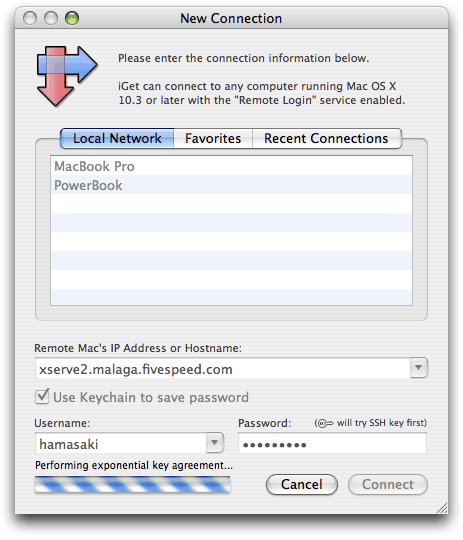
iGet's New Connection window packs a lot of functionality into a simple interface.
In this picture above, the user can see a couple of the Macs on the local network in iGet's Bonjour-powered network browser. But he is connecting to his Xserve at work.
The address, username, and password have all been autocompleted for him--all he had to type was "x, Tab, Return" and the connection was initiated. iGet observes and remembers (but only if you want it to, of course).
The key icon indicates that iGet will first try to use public key authentication (since the user in this case has configured iGet to use his key file), and only fall back to using password authentication as a second choice.